Best Monday.com Alternatives for Small Teams 2026
Disclosure: We may earn a commission when you purchase through links on this site, at no extra cost to you. How we make money.
Monday.com is a genuinely good product. The visual boards are polished, the automations work reliably, and the reporting is strong. But its pricing structure was designed for mid-sized teams, not solopreneurs and small crews of 2–5 people. The 3-seat minimum on the Basic plan means you’re paying for seats that don’t exist. The Standard plan — which is where most of the useful automation and integration features live — runs $12/seat/month with the same 3-seat floor, putting a solo operator at $36/month before they’ve added a single teammate. That’s not a deal-breaker for a 15-person team. For a freelancer or a 3-person agency, it’s a meaningful overpayment for features that alternatives deliver for less. This guide covers the five tools worth switching to — with honest assessments of where each one is genuinely better than Monday.com and where it isn’t.
Why Small Teams Overpay for Monday.com
Monday.com’s pricing model has two characteristics that hit small teams disproportionately hard:
1. The 3-seat minimum. Every paid plan requires at least 3 seats, regardless of how many people actually use it. A solo operator or 2-person team pays for a seat that doesn’t exist. At the Standard plan ($12/seat/month × 3), that’s $36/month minimum — the same price as ClickUp’s Business plan for the same team size, with significantly fewer features.
2. Feature gating at the plan level. Monday.com’s most useful automation features — the ones that actually reduce manual work — require the Standard plan or above. The Basic plan is essentially a visual task list with no automation, no calendar view, and no timeline. Teams that sign up for Basic and then realize they need automation face an immediate upgrade pressure.
Neither of these is deceptive — Monday.com’s pricing page is clear about both. But for small teams evaluating options, the effective minimum cost of a useful Monday.com setup is meaningfully higher than the advertised entry price.
The 5 Best Monday.com Alternatives
1. ClickUp — Most Feature-Complete Free Plan
ClickUp is the closest like-for-like Monday.com alternative on this list — it covers project management, task tracking, docs, dashboards, automations, and time tracking in one platform. The critical difference at the small team level: ClickUp’s free plan is genuinely functional, not a crippled preview.
The free plan includes unlimited tasks, unlimited members, 100MB storage, and 100 automation runs per month. For a 1–3 person team running standard project workflows, this covers everything Monday.com’s Standard plan handles — at zero cost.
The Unlimited plan at $7/seat/month removes the automation cap and adds unlimited storage, integrations, and dashboards. For a 3-person team, that’s $21/month versus Monday.com’s $36/month floor for comparable functionality.
Where ClickUp wins over Monday.com:
- More granular task hierarchy (Spaces → Folders → Lists → Tasks → Subtasks) accommodates complex project structures better
- Native docs and wiki functionality means you don’t need a separate Notion workspace for SOPs
- More generous free plan with real automation access
- No seat minimums — a solo operator pays for one seat
Where Monday.com wins:
- Faster onboarding — ClickUp’s depth creates a steeper learning curve
- More polished visual interface for non-technical users
- Better client-facing board sharing for external stakeholders
For the specific automations worth activating first in ClickUp, see our step-by-step guide to the best ClickUp automations for freelancers and solopreneurs.
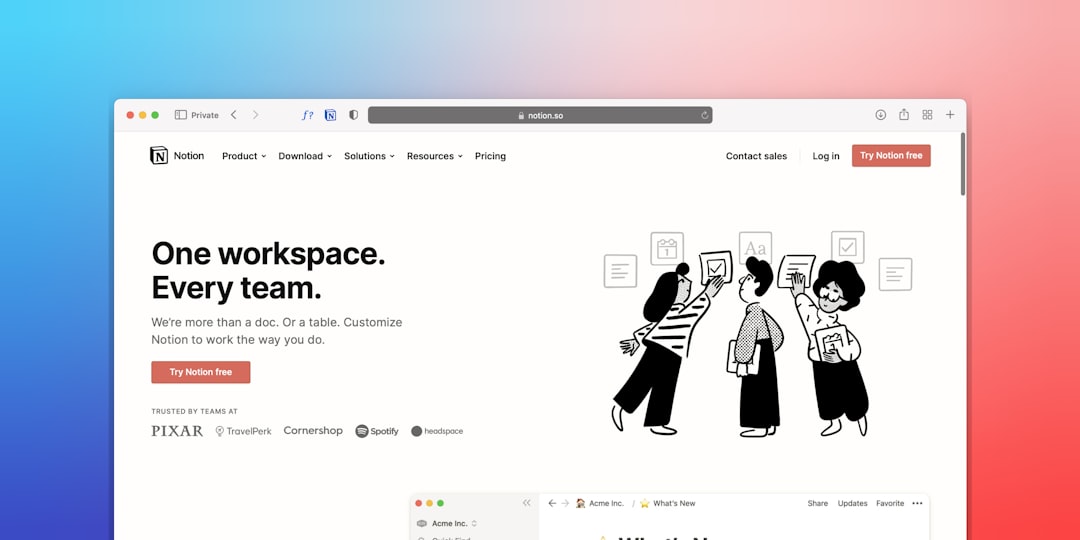
2. Notion — Best for Documentation-Heavy Teams
Notion isn’t a pure project management tool — it’s a workspace that handles project management as one of several functions. For teams that spend as much time writing, documenting, and building internal knowledge as they do tracking tasks, Notion’s unified approach eliminates the tool-switching cost of running a separate project manager and wiki.
The free plan is the most generous on this list: unlimited pages, unlimited blocks, and collaboration with up to 10 guests. A solo operator or 2-person team can run a complete workspace — project tracker, client database, SOP library, meeting notes — entirely on the free plan indefinitely.
The Plus plan at $10/month (flat for the workspace, not per seat for small teams under the Plus pricing structure) adds unlimited page history and larger file uploads.
The honest limitation: Notion’s project management capabilities are weaker than Monday.com’s for teams that need dedicated task management features — timeline views, workload balancing, and advanced reporting aren’t its strengths. For teams that primarily need a task tracker, Notion requires more setup to approximate what Monday.com does out of the box.
For a detailed comparison of how Notion stacks up against Airtable specifically for solopreneur workflows, see our Airtable vs Notion for solopreneur productivity breakdown. And for pre-built templates that make Notion useful immediately, our guide to the best Notion templates for solopreneur productivity covers the ones worth starting with.
3. Airtable — Best for Structured Data and Client Tracking
Airtable occupies a different position than the other tools on this list — it’s a database first and a project manager second. For small teams whose work involves tracking structured data alongside tasks (client projects with associated contacts, contracts, and revenue; content production with multiple fields per piece; service delivery with linked assets), Airtable’s relational database architecture does things Monday.com can’t.
The free plan supports up to 5 bases with 1,000 records per base — sufficient for early-stage client and project tracking. The Team plan at $20/seat/month removes the record cap and adds expanded automation.
Where Airtable beats Monday.com:
- Relational records — link clients to projects to invoices in a way that no pure project management tool supports natively
- Formula fields and rollup calculations for tracking revenue, hours, or any numerical metric across records
- Stronger Zapier and Make integration triggers for building automation workflows on top of your data
The limitation: Airtable’s free plan record cap (1,000 per base) fills faster than expected for active client databases — plan for the Team plan upgrade if you’re tracking more than a few months of client history.
4. Asana — Best for Straightforward Task Management
Asana has the cleanest task management interface of any tool on this list — it’s purpose-built for tracking work, assigning tasks, and managing project timelines without the feature complexity of ClickUp or the database orientation of Airtable. For teams that tried Monday.com and found it over-engineered for their actual needs, Asana is the natural landing spot.
The free plan supports unlimited tasks and projects for up to 15 users — more generous in team size than Monday.com’s free tier. The Starter plan at $10.99/seat/month (with no seat minimum) adds timeline views, workflow automations, and reporting.
Where Asana wins: Adoption speed. Teams that have struggled with ClickUp’s complexity or Notion’s flexibility find Asana’s focused interface easier to get everyone using consistently. The value of a project management tool is directly proportional to team adoption — a simpler tool that everyone uses beats a powerful tool that three people use differently.
5. Trello — Best for Simple Kanban Workflows at Zero Cost
Trello is the most limited tool on this list in terms of features — and the right choice for teams whose actual workflow is simple enough that they don’t need more. A Kanban board with cards, checklists, due dates, and file attachments covers a surprising amount of small team project management. If you’re currently using Monday.com primarily as a glorified Kanban board, Trello’s free plan handles your actual use case at zero cost.
The free plan is genuinely unlimited: unlimited cards, up to 10 boards per workspace, and basic automations via Butler (Trello’s built-in automation tool). The Standard plan at $5/seat/month removes the board limit and adds more powerful automation rules.
Side-by-Side Comparison
| Tool | Free Plan | Paid From | Seat Minimum | Best For |
|---|---|---|---|---|
| Monday.com | Yes (2 seats only) | $9/seat/mo | 3 seats | Mid-sized teams, polished UI |
| ClickUp | Yes — unlimited members | $7/seat/mo | None | Feature-heavy workflows, automation |
| Notion | Yes — unlimited pages | $10/mo flat | None | Documentation + project tracking |
| Airtable | Yes — 1,000 records/base | $20/seat/mo | None | Client/project database tracking |
| Asana | Yes — up to 15 users | $10.99/seat/mo | None | Clean task management, fast adoption |
| Trello | Yes — unlimited cards | $5/seat/mo | None | Simple Kanban, zero budget |
Migration: Moving from Monday.com Without Losing Your Data
Every tool on this list supports CSV import, which is Monday.com’s primary export format. The migration process for most small team setups takes 2–4 hours:
- Export from Monday.com: Go to your board → the three-dot menu → Export → Excel/CSV. Export each board separately.
- Map your columns: Before importing, review your CSV and note which columns contain tasks, assignees, due dates, status, and priority. Each tool’s import wizard will ask you to map these to its own field structure.
- Import to your new tool: ClickUp, Asana, and Airtable all have guided import wizards that walk you through field mapping. Notion and Trello accept CSV imports with basic field mapping.
- Rebuild automations: Your Monday.com automation rules won’t transfer — you’ll need to recreate them in your new tool’s automation builder. For complex automation workflows that connect your project management tool to other apps, our guide to how to automate your small business without coding covers the tool-agnostic approach.
Run both tools in parallel for two weeks before cancelling Monday.com — this gives you time to identify anything that didn’t transfer correctly and ensures no active project data is lost.
- Monday.com’s 3-seat minimum makes it effectively $27–$36/month minimum for small teams — a meaningful premium over alternatives that have no seat floors and more generous free plans.
- ClickUp is the best like-for-like Monday.com replacement for feature-heavy small teams; Asana wins on simplicity and adoption speed; Notion wins for documentation-heavy workflows; Airtable wins for structured client and project data.
- Trello remains the right choice for teams whose actual workflow is simple Kanban — if you’re using Monday.com primarily as a board, Trello’s free plan covers the use case at zero cost.
- Before migrating, audit which Monday.com features you actually use weekly — most small teams use 20–30% of what they’re paying for, which almost always maps cleanly onto a cheaper alternative.
- Run both tools in parallel for two weeks after migration before cancelling Monday.com — this catch period prevents data loss and gives your team time to rebuild automation workflows in the new tool.
Frequently Asked Questions
Is ClickUp really free for small teams, or does it have hidden limits?
ClickUp’s free plan is genuinely functional with real limitations rather than hidden ones. The documented constraints are: 100MB storage, 100 automation runs per month, limited dashboard widgets, and no timeline (Gantt) view. For a small team doing standard project management without heavy file storage or complex automations, these limits don’t bind in practice. The automation cap is the one most likely to be felt — if your workflows involve frequent status changes, recurring tasks, or notification triggers, track your automation usage in the first two weeks to gauge whether the Unlimited plan ($7/seat/month) is warranted.
Can I use multiple tools together — for example, Notion for docs and Asana for tasks?
Yes, and this is a common setup for small teams. Notion handles the documentation layer (SOPs, client notes, meeting records, knowledge base) and Asana or ClickUp handles the active task and project tracking layer. The tools connect via Zapier or Make — a new project created in Asana can automatically create a linked Notion page for that project’s documentation. The trade-off is the overhead of maintaining two systems and the integration that connects them. For teams that find this split valuable, the productivity gain outweighs the maintenance cost. For teams that find tool-switching disruptive, ClickUp’s native docs feature or Notion’s project management databases can consolidate both functions in one place.
How long does migration from Monday.com to ClickUp take?
For a small team with 5–15 active boards and straightforward task structures, the technical migration (export, import, field mapping) takes 2–4 hours. The behavioral migration — getting your team comfortable with ClickUp’s interface and rebuilding automation workflows — takes 1–2 weeks of parallel operation. The most time-intensive part is usually recreating automations, not moving data. Budget a half-day for the technical work and two weeks of parallel operation before fully committing to the new tool.
Does Airtable work as a Monday.com replacement for project management?
Partially. Airtable handles the structured data aspects of project management better than Monday.com — linked records, formula fields, relational views — but its task management UX is less polished. There’s no native timeline view on the free plan, workload views don’t exist, and the interface requires more setup to approximate Monday.com’s out-of-the-box project boards. For teams whose Monday.com usage was primarily data-heavy project tracking (client work with associated assets, budget, and contacts), Airtable is a strong replacement. For teams using Monday.com primarily for visual task tracking and team workload management, ClickUp or Asana is the better fit.
What about automation — can these tools replace Monday.com’s automation features?
Yes — ClickUp’s automation engine covers the most common Monday.com automation use cases natively, and all five tools connect to Zapier and Make for cross-app workflows. The important difference is that Monday.com’s automations are polished and easy to configure for non-technical users; ClickUp’s are more powerful but require more setup time. For automations that connect your project management tool to external apps — CRMs, email platforms, invoicing tools — Zapier and Make handle these regardless of which tool you’re in. Our guides on Zapier automations for solopreneurs and Make.com automation examples for service businesses cover the cross-app workflows that complement any of these project management tools.
Related Reading
- How to Use AI Tools for Small Business SEO in 2026 via BizRunBook
- Best Intercom Alternatives for Small Teams 2026 via SaaSSleuth