How to Automate Your Small Business: A Step-by-Step Guide
Disclosure: We may earn a commission when you purchase through links on this site, at no extra cost to you. How we make money.
Most small business owners automate backwards. They buy a shiny tool first, then try to figure out what to do with it. The result: software subscriptions collecting dust and a workflow that’s somehow more complicated than before.
The right approach is the opposite: audit your time first, identify your highest-cost repetitive tasks, then match tools to those specific problems. This guide gives you a practical framework to do exactly that — with concrete tool recommendations for each category.
Step 1: Audit Your Time (The Task Inventory)
Before you automate anything, spend one week logging every task you do that takes more than 5 minutes. Use a simple spreadsheet with four columns:
- Task name
- Time spent per week
- How often it repeats
- Does it follow a predictable pattern? (Yes/No)
Anything that’s “Yes” on column 4 and happens more than twice a week is an automation candidate. Common discoveries: manually forwarding contact form submissions to a CRM, copying invoice data between apps, posting the same content to multiple platforms, sending the same follow-up email to new leads.
Step 2: Categorize Your Automation Opportunities
Small business automations generally fall into five categories. Tackle them roughly in this order — earlier categories have faster payoff and lower complexity:
Category 1: Communication and Scheduling
This is where most people find the fastest wins. Automatable tasks include: sending follow-up emails after form submissions, booking confirmations and reminders, internal notifications when a deal moves stages, and meeting scheduling (eliminating the back-and-forth).
Tools: Calendly eliminates scheduling emails entirely. Zapier can trigger Gmail drafts or sends based on form submissions. HubSpot’s free CRM sends automated follow-up sequences.
Category 2: Data Entry and Sync
Anything where you’re copying data from one place to another is prime automation territory. New contact form submissions → CRM. Invoice paid → mark project complete in project management tool. New customer → add to email list.
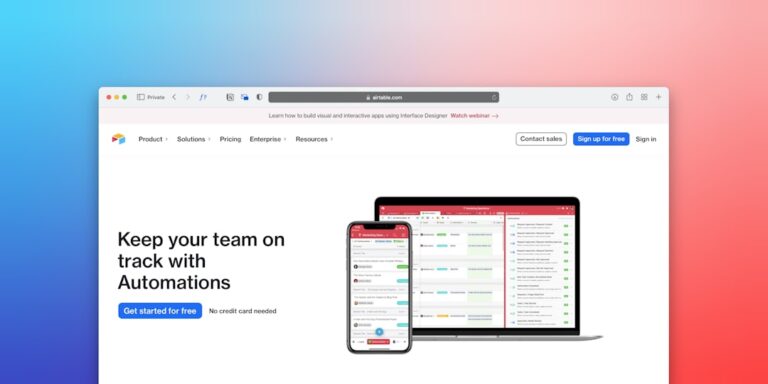
Tools: Zapier or Make for connecting apps without code. Airtable as a central database that both triggers and receives data from other tools.
Category 3: Marketing and Content Distribution
Social media posting, email newsletter scheduling, and content repurposing eat hours that should go toward client work. Automate the distribution layer while keeping strategy and creation human.
Tools: Buffer or Later for social scheduling. Zapier to cross-post from one platform to others. Mailchimp or ConvertKit for automated email sequences.
Category 4: Invoicing and Payments
Chasing payments is demoralizing and time-consuming. Automated invoice reminders, recurring billing setup, and payment confirmation workflows remove most of this friction.
Tools: FreshBooks or QuickBooks for recurring invoices and automated reminders. Stripe with Zapier triggers for payment-triggered workflows.
Category 5: Reporting and Analytics
Weekly business reports, sales summaries, and KPI dashboards built manually waste time that could be spent acting on the data. Set these up once and they run forever.
Tools: Google Looker Studio (free) for auto-refreshing dashboards. Zapier to pull data from multiple sources into a single Google Sheet.
Step 3: Choose Your Automation Platform
You don’t need a different tool for every category. One central automation platform handles most cross-app workflows:
| Platform | Best For | Price | Learning Curve |
|---|---|---|---|
| Zapier | Simple 2-step automations, 5,000+ app integrations | Free / $19.99/mo | Low |
| Make (formerly Integromat) | Complex multi-step workflows, data transformation | Free / $9/mo | Medium |
| n8n | Technical users, self-hosted option, unlimited runs | Free self-hosted | High |
| Zapier + Airtable | Database-driven businesses with complex data needs | $20–40/mo combo | Medium |
For most non-technical small business owners, Zapier is the right starting point. It’s the most user-friendly, has the largest app library, and the free plan handles up to 100 tasks per month — enough to validate several automations before paying.
Step 4: Build Your First Automation
Start with the highest-impact, lowest-complexity automation from your task audit. A typical first automation:
- Someone fills out your contact form (Trigger: new form submission)
- Their info is added to your CRM (Action 1: create contact)
- They receive a welcome email (Action 2: send email)
- You get a Slack or text notification (Action 3: send notification)
This workflow, once built, runs 24/7 without your involvement. Build it in Zapier in about 20 minutes. Test with a real form submission before activating.
Step 5: Scale Systematically
Once your first automation is running reliably, return to your task audit and pick the next candidate. A typical small business automation roadmap over 90 days:
- Week 1–2: Contact form → CRM → welcome email
- Week 3–4: Invoice automation (recurring billing, payment reminders)
- Week 5–6: Social media scheduling (batch create, auto-post)
- Week 7–8: Lead nurturing sequence (5-email drip over 2 weeks)
- Week 9–12: Internal reporting dashboard
By month three, most small business owners running this sequence report saving 8–12 hours per week. The time compounds: automations you build in month one keep saving time in months 12 and 24.
- Audit your time first — automate based on data, not hype
- Start with communication and data entry automations — fastest ROI, lowest complexity
- Zapier is the best starting platform for non-technical owners
- Test every automation with real data before activating it
- Build one automation at a time and let each one prove itself before moving to the next
Frequently Asked Questions
How much time does it take to set up business automation?
A simple two-step Zapier automation takes 15–30 minutes to build and test. A more complex multi-step workflow might take 1–2 hours. The upfront investment pays for itself quickly — an automation that saves 30 minutes per week pays back a 1-hour setup in 2 weeks.
Do I need technical skills to automate my business?
No. Zapier and Make are designed for non-technical users. If you can use a spreadsheet, you can build automations. Most common small business workflows involve clicking through a visual interface, selecting apps, and mapping fields — no code required.
What’s the biggest automation mistake small businesses make?
Automating a broken process. If your current workflow is disorganized, automating it just creates organized chaos faster. Before automating, simplify and standardize the manual process. Then automate the simplified version.
How much can I realistically save by automating my business?
The typical small business owner who implements automation across communication, invoicing, and marketing saves 6–15 hours per week. At a $75/hour effective rate, that’s $450–$1,125 per week in recovered time — far exceeding the $20–50/month cost of automation tools.