How to Automate Business Dashboards Without a Data Team
Most small businesses overcomplicate dashboarding. They try to track 30 metrics on a wall of charts that nobody reads. The dashboard that actually gets used has five numbers, updates daily, and lives in the same workspace as the rest of your work. Here’s how to build it.
The five metrics that actually matter
For most small businesses, these are enough:
- Revenue (MRR for SaaS, total monthly for others) — trend over 6-12 months
- New customers / leads — pipeline indicator
- Churn / cancellation rate — health indicator
- Cash on hand — survival indicator
- One operational metric specific to your business (CSAT, fulfillment time, etc.)
If you have 5 numbers visible and trending in the right direction, you’re winning. More than 5 and you’re playing dashboard theater.
Tool comparison
| Tool | Best for | Cost |
|---|---|---|
| Looker Studio | Visual dashboards, free, GA-native | Free |
| Notion | Dashboards alongside docs | $10/mo |
| Geckoboard | Pre-built widgets, TV-display friendly | $35/mo |
| Google Sheets | Quick + ugly + universal | Free |
| Databox | Mobile dashboards, KPI-focused | Free / $47/mo |
For most small businesses, Looker Studio + Notion is the right combo. Looker Studio holds the polished visual dashboard; Notion holds the explanation and links alongside the rest of the team’s work.
The Looker Studio dashboard
Looker Studio (formerly Data Studio) is free, Google-built, and connects to Stripe, Sheets, HubSpot, GA4, and many more. Setup:
- Create a new report
- Connect data sources (Stripe via partner connector, GA4 native, HubSpot via Supermetrics)
- Drop a scorecard for each of your 5 metrics
- Add a trend chart per metric (last 90 days)
- Share the URL with the team
The free tier is unlimited reports, unlimited dashboards. Refresh rates depend on the connector (Stripe is daily by default; GA4 is hourly).
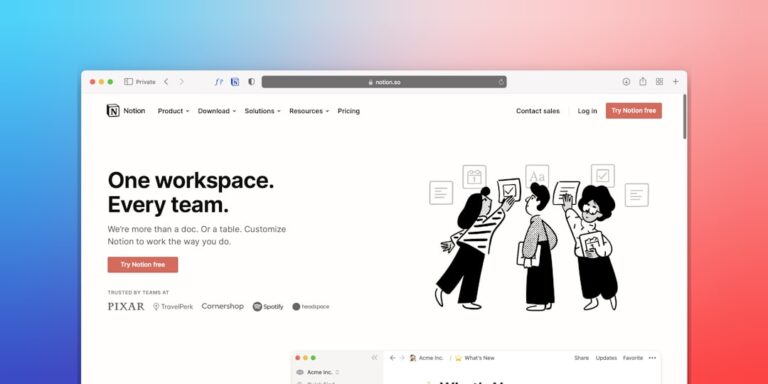
The Notion dashboard
For teams already living in Notion, an alternative:
- Create a “North Star” page
- Use Notion AI or embedded Sheets to populate the 5 metrics
- Add context below each: “What this means,” “Who owns it,” “Action thresholds”
- Link to upstream data sources for drill-down
Less visually polished than Looker Studio but lives alongside the team’s actual work. Many small businesses prefer this for the integration with docs and tasks.
Connecting the data sources
The five connections most small businesses need:
- Stripe — revenue, MRR, churn. Looker Studio’s free Stripe connector handles this directly.
- CRM (HubSpot, Pipedrive) — pipeline, deal count. Supermetrics or native connectors.
- Google Analytics 4 — traffic, conversion. Native Looker Studio integration.
- Bank balance — cash on hand. Plaid via Zapier into a Sheet, then connect Sheet to Looker.
- Operational metrics — depends on tool (Intercom for CSAT, ShipStation for fulfillment time).
The Sheets-as-middle-layer pattern is your friend. When a tool doesn’t have a native Looker Studio connector, pipe data through Sheets with a Zap, then connect Sheets.
The schedule that keeps it useful
Dashboards need rituals:
- Daily glance — 30 seconds, owner only, just “any number off?”
- Monday team review — 5 minutes in standup or async
- Monthly deep-dive — owner reviews trends, flags concerning shifts, sets actions
- Quarterly metric audit — are these still the right 5 metrics?
Without rituals, the dashboard is wallpaper. The rituals make it useful.
What NOT to put on the dashboard
- Vanity metrics — social media followers, page views, email subscribers (unless those drive revenue directly)
- Metrics with no clear action — if seeing a number wouldn’t change what you do, skip it
- Engineering or product metrics on the business dashboard — those need their own dashboard for the engineering team
- Lagging indicators that update slowly — quarterly metrics belong in reports, not daily dashboards
Mobile and TV display options
For teams that want dashboard visibility:
- Looker Studio mobile — readable on phones, free
- Geckoboard TV mode — for office wall displays
- Databox mobile app — KPI snapshots on phone with alerts
- Notion mobile — fine for read-only, less polished
When to upgrade to a real BI tool
Stay on Looker Studio + Notion until:
- You’re managing 50+ metrics across multiple departments
- You need joins / SQL queries on combined data sources
- You have a dedicated analyst or data engineer
- Looker Studio’s query limits become a real bottleneck
At that point, look at Metabase (open-source) or Hex (modern BI). Skip Tableau and Power BI unless you have enterprise-grade compliance reasons.
Key Takeaways
- Five metrics max — more is dashboard theater, not management.
- Looker Studio (free) for polished visuals, Notion for in-workspace integration. Use both.
- Connect Stripe, CRM, GA4 natively; pipe niche tools through Sheets via Zapier.
- Daily glance + weekly team review + monthly deep-dive ritual keeps dashboards useful.
- Target lines turn metrics into signals. Numbers alone are noise.
- Stay on Looker + Notion until you hit 50+ metrics or a real BI need — skip enterprise tools for solo / small-business.
Frequently Asked Questions
Can I really build a dashboard without any coding?
Yes. Looker Studio, Notion, Geckoboard, and Databox are all drag-and-drop. The only “coding” you might need is light SQL if you connect to a database directly — and for most small businesses, you’re connecting to apps (Stripe, HubSpot) where the connector handles that.