Best Automation Stack for Virtual Assistants in 2026
Virtual assistants are in a unique position with automation: you’re being paid to save someone else time, which means every hour you spend on repetitive tasks is an hour you’re not delivering value — or scaling your capacity. The VAs who are outperforming in 2026 aren’t working harder. They’re running a tighter automation stack than their clients realize, handling two or three times the workload with the same hours by systematizing everything from inbox triage to client reporting. This guide breaks down exactly what that stack looks like and how to build it without overcomplicating the setup.
What a VA Automation Stack Actually Needs to Cover
Before choosing tools, it helps to map the workflows that eat the most time in a VA practice:
- Inbox management: Sorting, labeling, routing, and responding to emails on behalf of clients
- Task intake and tracking: Capturing new requests, prioritizing them, and updating status without manual check-ins
- Client onboarding: Sending intake forms, collecting assets, setting up shared workspaces, and scheduling kickoffs
- Scheduling: Coordinating calendars, booking calls, and sending reminders without back-and-forth email threads
- Reporting: Summarizing hours, completed tasks, and progress updates — weekly or monthly — across multiple clients
- Invoicing and follow-up: Generating invoices, tracking payment status, and sending reminders on overdue balances
A good VA automation stack addresses all six without requiring you to touch each one manually every time. Here’s how to build it layer by layer.
Layer 1: The Automation Engine — Zapier or Make
Every automation stack needs a central workflow engine that connects your tools and moves data between them. For virtual assistants, the choice comes down to Zapier vs. Make — and both are genuinely strong options depending on your technical comfort and workflow complexity.
Zapier
Zapier is the easier entry point. Its interface is straightforward, its app library is the largest available (6,000+ integrations), and its two-step Zaps cover the majority of what most VAs need: trigger an action in one app when something happens in another.
Common VA Zaps that save hours per week:
- New email with a specific label → create a task in ClickUp with the email details attached
- New Calendly booking → add contact to Airtable CRM + send a welcome email automatically
- Task marked complete in ClickUp → update client-facing Airtable tracker + send Slack notification
- New form submission → create Notion client workspace from template + notify via email
Zapier’s free plan covers 100 tasks/month and five Zaps — enough to test your workflows. The Starter plan at $19.99/month gives you 750 tasks and multi-step Zaps, which is the realistic minimum for a practicing VA with two or more clients.
Make (formerly Integromat)
Make handles more complex, multi-branch workflows that Zapier can’t do as elegantly. If your client processes involve conditional logic — “if the email contains X, route to folder A; if it contains Y, create a task and notify the client” — Make’s visual scenario builder handles that without workarounds.
Make’s free plan is also more generous than Zapier’s: 1,000 operations/month on unlimited scenarios. For VAs managing complex client workflows on a tight budget, Make often delivers more per dollar. You can also automate full email workflows with Make that would require a paid Zapier plan.
Layer 2: Task and Client Management — ClickUp or Notion
Your automation engine moves data between tools, but you need a central command center where all client work actually lives. For VAs, this is the most important tool choice in the stack — everything else connects to it.
ClickUp for Task-Heavy VA Work
If your VA practice involves managing a high volume of discrete tasks across multiple clients — calendar management, research requests, content scheduling, admin tasks — ClickUp’s task structure is built for this. The free plan is generous, and its automation features let you build rules that trigger inside ClickUp without needing a separate Zapier step for every status change.
Key ClickUp automations for VAs:
- Task created → auto-assign to yourself + set due date based on priority tag
- Due date passed → change status to “Overdue” + notify client via comment
- Task completed → move to “Done” list + trigger a Zapier step to update client reporting sheet
If you’re managing operations for a service-based client, the ClickUp automation setups that work best for small agency operations translate directly to a VA context — the workflows are nearly identical.
Notion for Process-Heavy VA Work
If your VA work involves SOPs, knowledge management, client wikis, or content calendars — anything that requires more documentation than task tracking — Notion is the stronger choice. Its database structure is flexible enough to serve as a CRM, a project tracker, a client portal, and an internal knowledge base simultaneously.
Notion’s free plan covers the basics, and using Notion for client project management is one of the highest-leverage setups a VA can build — particularly when you’re managing multiple client workspaces from a single Notion account and sharing specific pages as client-facing portals.
Layer 3: Structured Client Data — Airtable
Airtable fills a specific gap in a VA stack: structured, relational data that needs to be both human-readable and automation-friendly. Think of it as a database that non-technical people can actually use.
For VAs, the most valuable Airtable use cases are:
- Client CRM: Contact records, contract status, billing rates, renewal dates, and notes — all searchable and filterable
- Content calendars: Managing post schedules across multiple clients in one database with status tracking per piece
- Invoice tracking: Outstanding balances, payment dates, and follow-up status — triggering Zapier automations when a payment date passes without a record update
- Asset libraries: Brand guidelines, login credentials, file links, and reference materials organized per client
Airtable’s free plan covers unlimited bases with 1,000 records per base and 5GB of attachment storage — enough for most solo VA practices. The Team plan at $20/month adds more records, automations, and Gantt/timeline views.
Layer 4: Scheduling — Calendly
Scheduling coordination is one of the most time-consuming tasks a VA manages on behalf of clients — and it’s almost entirely eliminable with Calendly. A single Calendly link, configured correctly, removes the back-and-forth completely.
For VAs, Calendly does three things that matter:
- Availability management: Set buffer times, limit daily bookings, block personal holds — all without manual calendar management
- Intake forms: Collect information before a meeting — agenda items, project details, or decision context — so meetings start with context already established
- Automation triggers: New bookings trigger Zapier workflows that create tasks, add contacts to your CRM, send confirmation emails, and update client trackers automatically
The free plan covers one event type and basic scheduling. The Standard plan at $10/month per seat adds multiple event types, intake forms, and automation integrations — the features that make Calendly genuinely useful in a professional VA context.
How These Tools Compare for VA Use Cases
| Tool | Primary VA Use | Free Plan | Paid Starting Price | Best For |
|---|---|---|---|---|
| Zapier | Connecting tools + workflow automation | 100 tasks/mo, 5 Zaps | $19.99/mo | Simple, reliable multi-app triggers |
| Make | Complex conditional workflows | 1,000 ops/mo | $9/mo | Multi-branch logic, budget-conscious VAs |
| ClickUp | Task management + client work tracking | Unlimited tasks | $7/user/mo | High-volume task-based VA work |
| Notion | Client wikis, SOPs, content management | Unlimited pages (1 member) | $10/user/mo | Process-heavy, documentation-focused VAs |
| Airtable | CRM, content calendars, invoice tracking | 1,000 records/base | $20/user/mo | Structured client data and asset management |
| Calendly | Scheduling + intake automation | 1 event type | $10/seat/mo | Eliminating scheduling back-and-forth |
The High-Leverage Workflows to Build First
Most VAs know automation is valuable but get stuck figuring out where to start. Here are the four workflows that deliver the fastest return on setup time:
1. Automated Client Onboarding
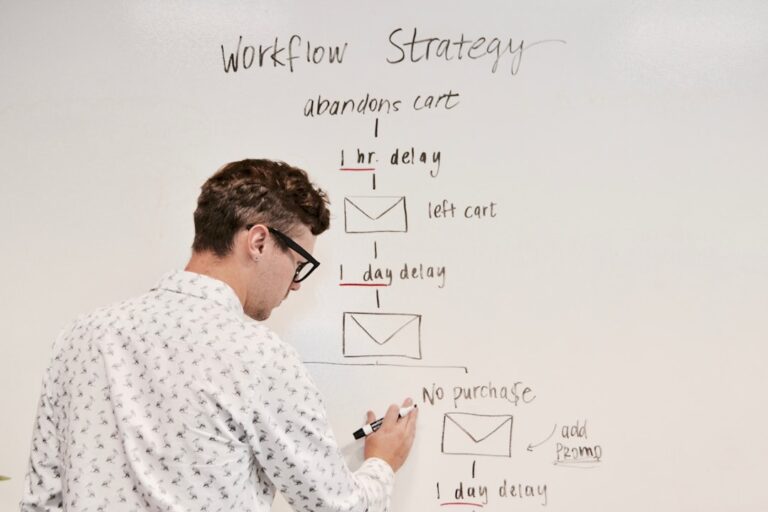
When a new client signs a contract, a Zapier or Make workflow should automatically: create a shared Notion or ClickUp workspace from a template, send an intake form via email, add the client to your Airtable CRM, schedule a kickoff call via Calendly, and send a welcome email with next steps. All of this triggered by a single event — contract signed or payment received. Automating client onboarding is the highest-impact workflow most VAs aren’t running yet.
2. Task Intake From Email
Set up a Gmail filter that labels emails as “client requests” when they come from specific addresses, then Zapier watches that label and creates a ClickUp task automatically — with the email subject as the task name, the body as the description, and the sender as a tag. You never manually log an email request again.
3. Weekly Client Reporting
At the end of each week, a Make scenario pulls completed tasks from ClickUp, summarizes hours logged from your time tracker, and populates a Google Sheet that serves as the client’s weekly report. A follow-up Zap emails the report automatically. What used to take 30 minutes per client now runs without you. This pairs well with the approach of automating client reports with Make.com — the same logic applies across VA and agency contexts.
4. Invoice and Payment Follow-Up
When an invoice due date passes without a payment record in Airtable, a Make or Zapier automation sends a polite follow-up email and creates a task to follow up personally if there’s no response in 48 hours. No manual tracking, no awkward “just checking in” emails written from scratch each time.
What to Budget for a VA Automation Stack
A complete stack doesn’t require a large monthly commitment. Here’s a realistic breakdown:
- Zapier Starter: $19.99/month — covers multi-step Zaps for core workflows
- ClickUp Unlimited: $7/month — removes task and automation limits
- Notion Plus: $10/month — unlimited file uploads and guest access for client portals
- Airtable Free: $0 — sufficient for most solo VA client databases
- Calendly Standard: $10/month — multiple event types and intake forms
Total: approximately $47/month for a fully connected stack. If you’re managing three clients at $1,500/month each, this stack pays for itself in under two hours of time saved. For VAs looking to keep costs even lower, the best automation tools for freelancers under $50/month covers how to prioritize spend when budget is tight.
- A complete VA automation stack covers six areas: inbox management, task intake, client onboarding, scheduling, reporting, and invoice follow-up — and most of these can be automated for under $60/month total.
- Zapier is the easiest automation engine for most VAs; Make handles more complex conditional logic at a lower price point. You don’t need both — pick one and build on it.
- ClickUp is better for high-volume task-based VA work; Notion is better for process-heavy, documentation-focused practices. Both integrate with Zapier and Make.
- Airtable handles structured client data — CRM records, content calendars, invoice tracking — better than any task management tool.
- Client onboarding and weekly reporting are the two highest-leverage workflows to automate first — they save the most time per client and improve the client experience simultaneously.
Frequently Asked Questions
What is the best automation tool for virtual assistants in 2026?
Zapier is the best starting point for most VAs — its large app library and simple interface make it easy to connect the tools you’re already using. For more complex workflows with conditional branching, Make is the stronger choice at a lower price. Most experienced VAs run one or the other, not both.
How do I automate client onboarding as a virtual assistant?
The most reliable approach: trigger your onboarding sequence from a contract signature or payment event, then use Zapier or Make to automatically create a client workspace (in Notion or ClickUp), send an intake form, add the client to your Airtable CRM, and schedule a kickoff call via Calendly. The whole sequence fires automatically — you only get involved when the client responds to the intake form.
Do virtual assistants need both Zapier and Make?
No. Zapier and Make serve the same core function — connecting apps and automating workflows. Start with one, build your core workflows, and only consider the other if you hit a specific limitation. Most VAs find that Zapier’s simplicity or Make’s power covers everything they need without using both simultaneously.
Is Notion or ClickUp better for virtual assistant work?
It depends on the type of work. ClickUp is better for task-heavy practices where you’re managing discrete to-do items across multiple clients. Notion is better for process-heavy practices involving SOPs, client wikis, and content management. Some VAs use ClickUp for task tracking and Notion for documentation — with Zapier connecting the two so status updates flow automatically between them.
How much should a virtual assistant spend on automation tools?
A functional VA automation stack runs $40–65/month depending on which tools you choose and which paid tiers you need. The free plans from Notion, Airtable, and Calendly cover early-stage needs — add paid tiers as your client count increases and workflow complexity grows. The benchmark question is simple: does this tool save me more than its monthly cost in time? For most VAs adding a second or third client, the answer is yes for every tool in this stack.