Best ClickUp Alternatives for Solopreneurs 2026
Disclosure: We may earn a commission when you purchase through links on this site, at no extra cost to you. How we make money.
You opened ClickUp with good intentions. Maybe a YouTube video promised it would transform your productivity. Three hours later you were still configuring Custom Fields, deciding between Gantt and Timeline view, and wondering why a solo freelancer needs a workload capacity chart. ClickUp is a genuinely powerful tool — but it was built for teams, and its complexity shows. For a solopreneur running five client projects and a content calendar, most of that power is dead weight.
The good news: there are leaner, sharper tools that do exactly what a one-person shop needs — clear task visibility, smart automations, and integrations that connect your project management to the rest of your stack. This guide breaks down the three strongest ClickUp alternatives for solopreneurs in 2026, comparing them on the dimensions that actually matter: setup speed, built-in automation, Zapier/Make compatibility, and total monthly cost.
Why ClickUp Overwhelms Solo Operators
ClickUp was designed with enterprise teams in mind. Its breadth is a feature for a 50-person ops team and a bug for a solopreneur. A few specific pain points come up repeatedly:
- Decision fatigue on setup: ClickUp has 15+ view types, three different automation builders depending on your plan, and a permission system built for organizations. You spend more time configuring than working.
- Slow load times on the Free Forever plan: ClickUp’s free tier throttles features and performance noticeably on lower-spec machines.
- Steep automation learning curve: ClickUp’s native automations are capable but finicky. For anything beyond basic status changes, most solopreneurs end up reaching for Zapier anyway — which raises the question of why they’re paying for ClickUp’s automation features at all.
- Notification overload: Without a team actively managing notification settings, ClickUp defaults to pinging you for everything.
None of this means ClickUp is bad. If you’re scaling toward a small team or you’re a power user who’s mastered ClickUp’s automation layer, it can be worth the overhead. But if you’re a solopreneur who wants to get things done rather than manage your task manager, the alternatives below are worth a serious look.
The Contenders: Quick Comparison
| Tool | Best For | Starting Price | Native Automations | Zapier/Make | Setup Time |
|---|---|---|---|---|---|
| Notion | Flexible knowledge + tasks | Free / $10/mo Plus | Basic (button triggers, DB automations) | Excellent | 30–60 min |
| Monday.com | Visual pipeline tracking | $9/seat/mo (min 3 seats) | Strong (250 actions/mo on Basic) | Excellent | 15–30 min |
| Airtable | Database-driven workflows | Free / $20/mo Team | Strong (scripts, automations) | Excellent | 45–90 min |
| ClickUp | Teams with complex hierarchies | Free / $7/mo Unlimited | Advanced (but complex) | Excellent | 3–8 hours |
Option 1: Notion — Best for the Systems-Minded Solopreneur
Notion occupies a unique position: it’s simultaneously a wiki, a task manager, a CRM, and a database tool. For solopreneurs who think in connected systems rather than isolated task lists, this is a genuine superpower.
What Makes Notion Work for Solo Operators
The core of a solopreneur Notion setup is a single database used as a task board. You create a database, add properties for Status, Priority, Due Date, and Client, then toggle between Board, Table, Calendar, and List views depending on what you’re doing. Client-facing projects, internal tasks, and content ideas can all live in one workspace with filtered views that show you exactly what you need.
Notion’s linked databases are where the real leverage comes in. Build a Client database and a Projects database, link them with a relation property, and you can see every active project per client in a single click. This kind of relational thinking is what makes Notion the go-to for solopreneurs who’ve outgrown simple to-do lists.
For freelancers managing client relationships, Notion doubles as a lightweight CRM — and we’ve covered that setup in depth in How to Use Notion as a CRM for Freelancers in 2026.
Automation in Notion
Notion’s native automation improved significantly in late 2025 with button triggers and database automations that can update properties, send Slack notifications, and create new pages. It’s still limited compared to ClickUp’s automation engine, but for most solopreneurs it covers the core use cases: auto-assigning due dates, moving tasks to “In Review” when a property changes, and triggering notifications.
For anything more complex — routing new Notion tasks to a Slack channel, syncing completed projects to a spreadsheet, or triggering a Calendly booking link when a project status changes — Zapier’s Notion integration is mature and reliable. You can also build more complex multi-step workflows using Make if you want conditional branching without the per-task Zapier cost.
Pricing Reality Check
The free plan is generous for a solo user: unlimited pages and blocks, basic automation, and 7-day history. The Plus plan ($10/month) unlocks 30-day history, unlimited file uploads, and chart views. For most solopreneurs, the free plan is sufficient to start.
Option 2: Monday.com — Best for Visual Pipeline Tracking
Monday.com is the closest in structure to ClickUp, but it makes deliberate choices that reduce complexity. Boards are the core unit, columns are the data layer, and automations are presented as plain-English “if/then” rules that anyone can configure in under five minutes.
Why Solo Operators Like Monday.com
Monday.com’s visual board is its strongest asset. Every row is a task or project, every column is a data point, and the colored status pills give you an instant read on where everything stands. For solopreneurs managing client deliverables with hard deadlines, this at-a-glance clarity is worth a lot.
The color-coded workload view is useful even solo — it shows you which weeks are overloaded before you commit to a deadline, which is a common pain point for freelancers who say yes to too much. You can also toggle to a Gantt timeline view when you need to communicate project phases to a client without exporting anything.
Monday.com’s Automation Edge
Monday.com’s native automation is genuinely strong. The Basic plan includes 250 automation actions per month and 250 integration actions — enough for a solopreneur running 5–10 active projects. Common automations solo operators set up:
- When a task status changes to “Done,” move it to a Completed board and notify via email
- When a due date arrives with status still “In Progress,” send a Slack message to yourself
- When a new item is added to the Client Projects board, create a linked item in your Invoicing tracker
For deeper integrations — connecting Monday.com to your invoicing tool, syncing project completions to a Google Sheet for reporting, or triggering a Calendly link on project kickoff — Monday.com’s Zapier integration handles it cleanly.
The Pricing Problem
Here’s where Monday.com gets complicated for solopreneurs: the Basic plan requires a minimum of three seats at $9/seat/month, meaning you’re paying $27/month even if you’re the only user. That’s the main knock against Monday.com in this category.
If you want the visual pipeline style but at lower cost, it’s worth reading our roundup of Monday.com alternatives for small teams on a budget.
Option 3: Airtable — Best for Database-Driven Workflows
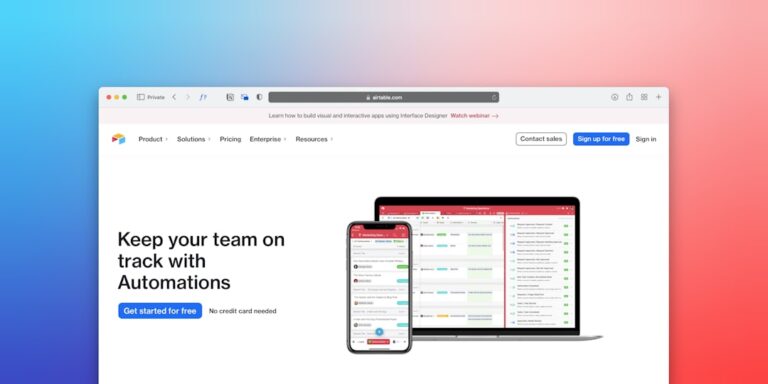
Airtable sits at the intersection of spreadsheet and database, and for solopreneurs running structured workflows — client management, content pipelines, invoice tracking — it’s the most powerful option in this comparison.
What Airtable Does That Others Can’t
Airtable’s differentiator is its field types. Formula fields, rollup fields, linked records, and lookup fields let you build relationships between data that would require a developer in a traditional database. A solopreneur can build a content calendar that automatically pulls the client name from a Clients table, calculates days until publish from a formula, and flags overdue items with a color-coded view — all without writing a single line of code.
Views are where Airtable really shines. The same base of data can show as a Grid (spreadsheet), Kanban board, Calendar, Gallery, Gantt, or Form. You set up the structure once and toggle between views depending on what you’re doing that day.
For workflow-heavy solopreneurs, the best Airtable automations for small business can handle recurring task creation, client follow-up sequences, and pipeline updates without touching Zapier.
Airtable + Zapier or Make
Airtable’s external automation game is the strongest in this comparison. Both Zapier and Make treat Airtable as a first-class trigger source — new record, updated record, record matches filter — and the bidirectional write capability means you can update Airtable records from external events (payment received → mark invoice paid, form submitted → create client record).
For complex multi-step sequences, Make’s visual canvas is a natural fit for Airtable’s data structure. A solopreneur running a proposal-to-payment workflow, for example, can use Make to watch for new Airtable records, generate a proposal document, send it via email, and update the record status on open — all in a single scenario. That entire workflow is covered in detail in Automate Your Proposal-to-Payment Workflow in 2026.
When Airtable Is the Wrong Choice
Airtable has a steeper initial setup curve than Notion or Monday.com. If you’re not comfortable thinking in database terms — tables, records, linked fields — the free templates help, but you’ll still invest more upfront configuration time. If you want to be productive on day one with minimal setup, Notion is a better starting point.
Picking the Right Tool for Your Workflow
There’s no universal winner here. The right choice depends on how your brain works and what your daily work actually looks like:
- You write a lot, manage knowledge alongside tasks, and want a flexible system: Notion. Especially true if you’re also using it to manage client notes, SOPs, or content drafts.
- You manage multiple client projects with hard deadlines and want visual clarity: Monday.com — if the $27/month minimum fits your budget.
- You run structured, repeatable workflows and want automation that runs on data logic: Airtable. The setup investment pays off fast once it’s configured.
For solopreneurs who are also building out their sales pipeline automation, all three tools connect cleanly to the CRM and outreach tools in that workflow via Zapier.
- ClickUp’s complexity is a feature for teams, not solopreneurs — most of its power goes unused in a one-person shop, and the setup cost is real.
- Notion is the most flexible and cost-effective starting point for solopreneurs who want task management and knowledge management in one place.
- Monday.com offers the best visual pipeline experience but its three-seat minimum makes it the most expensive option at the entry level.
- Airtable wins on structured, data-driven workflows — if you run repeatable processes (client onboarding, content calendars, invoice tracking), its database model pays off fast.
- All three integrate cleanly with Zapier and Make — your choice of project management tool doesn’t limit your automation options.
Frequently Asked Questions
Can I migrate my ClickUp tasks to Notion, Monday.com, or Airtable?
Yes, though the process varies by tool. ClickUp lets you export tasks as CSV. Notion and Airtable both accept CSV imports, so you can move your task data without manual re-entry. Monday.com also supports CSV import for board items. You’ll lose ClickUp-specific metadata like nested subtask hierarchies, but core task data (name, status, due date, assignee) transfers cleanly.
Do these alternatives handle recurring tasks?
Notion and Monday.com both support recurring task creation natively (daily, weekly, monthly cycles). Airtable handles this via automations — a scheduled trigger creates a new record on a defined interval. If you need more complex recurrence logic (every third Tuesday of the month, for example), a Zapier Schedule trigger writing to any of the three is the cleanest approach.
Which tool works best if I eventually hire a contractor or VA?
Monday.com and Airtable scale the most gracefully to adding collaborators. Monday.com’s permission model is intuitive for new users, and Airtable’s Views let you create a contractor-facing view that shows only the records relevant to their work. Notion works too, but its permission model can feel unintuitive when you’re trying to share only specific pages. For a deeper look at how these tools rank when budget matters for small teams, see our guide to best project management tools for solopreneurs under $20/month.
Is ClickUp’s free plan a reasonable option to stay on?
For very simple task management, yes. The ClickUp Free Forever plan supports unlimited tasks and members, with basic automation and limited views. The issue isn’t cost — it’s complexity. Even the free plan gives you access to the full feature set, which means you’re still navigating the same overwhelming UI. If you find yourself spending more time in ClickUp settings than in ClickUp tasks, that’s the signal to switch.
How do Zapier and Make fit into this decision?
Zapier and Make are the connective tissue between your project management tool and the rest of your stack — your email, your invoicing tool, your calendar, your CRM. All three alternatives in this guide (Notion, Monday.com, Airtable) have mature Zapier and Make integrations. Your choice of project manager doesn’t constrain your automation options. If you’re new to workflow automation, our Zapier vs Make comparison breaks down which platform fits which use case for solo operators.
Related Reading
- Top AI Productivity Tools for Solopreneurs in 2026 via BizRunBook
- Notion vs ClickUp for Small Business Teams 2026 via SaaSSleuth