Best Project Management Tools for Solopreneurs (2026)
Disclosure: We may earn a commission when you purchase through links on this site, at no extra cost to you. How we make money.
Every project management tool comparison you’ll find online opens with “great for teams of all sizes” and then immediately starts talking about sprint planning, team workspaces, and per-seat pricing for fifteen users. If you’re a solopreneur managing three to eight clients, a backlog of deliverables, and the daily administrative work of running a one-person business, that comparison is useless to you. Your requirements are different: you need a single tool that handles client projects, personal recurring tasks, and business admin without charging you $150/month for a feature set built for a department head. This guide covers the best project management tools specifically configured for solo operators — what each one actually includes, what it costs at one seat, and which workflows it handles best.
What Solopreneurs Actually Need From a Project Management Tool
Before evaluating specific tools, it’s worth being precise about the requirements. A solopreneur’s project management needs look different from a team’s in specific ways:
- Single-user pricing — you’re not buying three seats minimum; you want to pay for one person and get real functionality
- Client visibility without complexity — the ability to share a project view with a client without them seeing your entire workspace or needing their own account
- Multiple project types in one place — client deliverables, personal recurring tasks, and business development all in one tool, not spread across three apps
- Automation for recurring work — if you invoice monthly, onboard clients quarterly, and review your pipeline weekly, you want those tasks to appear automatically, not be recreated from scratch
- Integration with the rest of your stack — your PM tool needs to talk to your calendar, your email, and ideally your invoicing system without requiring a full-time systems administrator
- Low maintenance overhead — a system that requires thirty minutes a day to keep updated is a job, not a tool
With those requirements as the filter, here’s how the top tools for solopreneurs stack up in 2026.
The Best Project Management Tools for Solopreneurs Under $20/Month
1. ClickUp — Best Overall Free-to-Paid Upgrade Path
ClickUp is the most feature-complete project management tool available at any price point — and its free plan is genuinely functional in a way that most competitors’ free plans aren’t. For a solopreneur who wants unlimited tasks, multiple views, and basic automations without paying anything, ClickUp Free is the strongest starting point in the category.
What it does well for solopreneurs:
- Unlimited tasks and projects on the free plan — no artificial caps that force an upgrade before you’re ready
- Multiple views (list, board, calendar, timeline, Gantt) on all plans — see your work the way that helps you think
- Spaces → Folders → Lists hierarchy that maps cleanly to: Business (space) → Clients (folder) → Individual Projects (lists)
- Recurring task automation — set any task to regenerate on a schedule without a paid automation plan
- Time tracking built in — log hours against tasks without a separate tool
- 100 automation runs/month on free (enough for light workflows), unlimited on paid plans
- Guest access — share specific lists with clients at no extra cost
Pricing for solopreneurs: Free plan handles most solo use cases. Unlimited plan at $7/user/month adds unlimited integrations, unlimited automations, and removes storage limits — the upgrade that makes sense once you’re running regular Zapier or Make.com connections into ClickUp.
Honest take: ClickUp has more features than most solopreneurs will ever use, and the interface can feel overwhelming when you first open it. The key is not trying to use everything — build one Space, create folders for clients, and set up your task views before touching automations or dashboards. Start narrow and expand when you need to.
2. Notion — Best for Documentation + Project Management Combined
Notion occupies a unique position: it’s simultaneously a project management tool, a knowledge base, a client documentation hub, and a personal wiki. For solopreneurs who want their SOPs, meeting notes, client onboarding docs, and active project tracker all in one place rather than scattered across multiple apps, Notion is the most compelling option.
What it does well for solopreneurs:
- Databases that function as project trackers, client CRMs, content calendars, and task boards simultaneously — one database, multiple views
- Linked databases — a project task can show up in your master task view AND in the client-specific database without duplicate entries
- Notion AI (Plus plan and above) for drafting, summarizing, and generating content directly within your workspace
- Templates that cover most solopreneur use cases out of the box — from freelance client management to content calendars to weekly reviews
- Publish pages publicly or share with guests — great for client portals
Pricing for solopreneurs: Free plan allows unlimited pages and blocks for personal use. Plus plan at $10/month adds unlimited guest access, advanced page analytics, and API access. AI features are an additional $10/month or included in some bundled plans.
Honest take: Notion requires upfront setup investment that other tools don’t. A blank Notion workspace is just a blank page — it has no structure until you build one. The payoff is a system that’s exactly as you designed it, with no features you don’t use. If you want something that works out of the box on day one, ClickUp is faster. If you want a workspace that fits your specific brain, Notion is worth the setup time. The best Notion templates for freelance client management can shortcut that setup significantly — you don’t have to build from scratch.
3. Airtable — Best for Data-Heavy Client Work
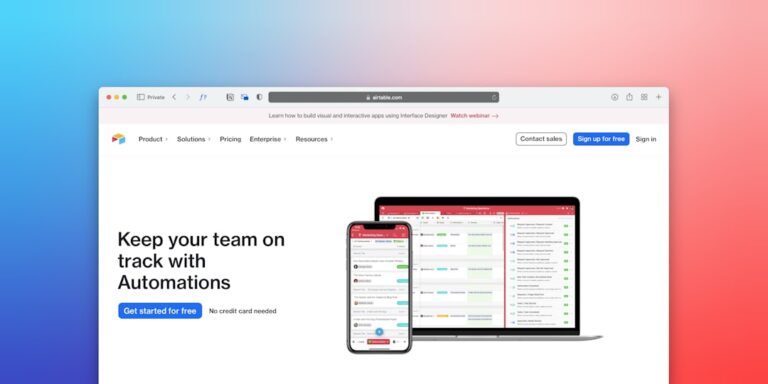
Airtable sits between a spreadsheet and a project management tool — it’s relational database software with a clean interface that handles structured data better than any other tool in this category. For solopreneurs who manage complex client data, track inventory or content, or need filtered views that are more powerful than ClickUp or Notion’s built-in options, Airtable is the right choice.
What it does well for solopreneurs:
- Relational database structure — link clients to projects to tasks to invoices without duplicate data entry
- Formula fields that calculate values automatically — total hours, invoice amounts, days until deadline
- Interface Designer — build custom dashboards for your own use or for client-facing portals
- Native automations for record management (create records, send emails, update fields) on all paid plans
- Forms that create Airtable records directly — useful for client intake, project requests, and feedback collection
Pricing for solopreneurs: Free plan includes unlimited bases with 1,000 records per base and 100 automation runs/month. Team plan at $20/user/month (the lowest paid tier) adds 25,000 records per base, 25,000 automation runs, and interface designer features. Slightly above the $20 threshold but worth including given the capability jump.
Honest take: Airtable’s power comes from its relational structure, which also means it takes longer to set up correctly than ClickUp or Notion for basic project tracking. If your work is fundamentally database-like (tracking many records with many properties and relationships), Airtable is unmatched. If you mostly need task tracking and project boards, ClickUp handles it with less setup overhead. The best Airtable templates for small business covers pre-built bases worth using as starting points.
4. Monday.com Standard — Best Visual Board Experience
Monday.com’s Standard plan at $12/user/month gives solopreneurs the most polished visual project management experience in the category — color-coded boards, timeline views, and a dashboard that surfaces everything in flight at a glance. It’s more expensive than ClickUp’s paid tier but comes with a cleaner interface and 250 automation runs/month built in.
Best for: Solopreneurs managing 5+ concurrent client projects who want a visual board that shows the entire pipeline at a glance, and who value interface quality over raw feature depth.
Honest take: Monday is the most intuitive tool on this list but the least flexible. You work within its structure rather than building your own. For solopreneurs who find ClickUp or Notion’s configurability overwhelming, Monday’s more opinionated setup is a feature, not a limitation.
5. Todoist Pro — Best Pure Task Manager Under $5/Month
Not every solopreneur needs a full project management platform. If your work is fundamentally task-based — you’re a consultant or coach who tracks deliverables rather than managing complex multi-milestone projects — Todoist Pro at $4/month delivers outstanding task management with filters, labels, recurring tasks, and natural language input without any of the overhead of a full PM platform.
Best for: Solopreneurs whose work is task-driven rather than project-driven, and who want the fastest possible capture-to-completion workflow at the lowest cost.
Head-to-Head: Price and Feature Comparison
| Tool | Free Plan | Paid (1 seat) | Automations | Client Sharing | Best For |
|---|---|---|---|---|---|
| ClickUp | ✅ Strong | $7/mo | 100/mo free; unlimited paid | ✅ Guest access | All-around solo ops |
| Notion | ✅ Good | $10/mo | Via Zapier/Make | ✅ Page sharing | Docs + projects combined |
| Airtable | ✅ Moderate | $20/mo | 100/mo free; 25k paid | ✅ Shared bases | Data-heavy workflows |
| Monday Standard | ⚠️ Limited | $12/mo | 250/mo | ✅ Guest access | Visual board experience |
| Todoist Pro | ✅ Good | $4/mo | Via Zapier | ❌ No client view | Task-driven solopreneurs |
How to Connect Your PM Tool to the Rest of Your Stack
A project management tool in isolation is useful but limited. The real productivity gains come when it’s connected to the other tools in your workflow. Here’s how the tools above integrate with the most common solopreneur stack:
Calendar Integration
ClickUp, Notion (via third-party), Airtable, and Monday all sync with Google Calendar. The most useful integration is bidirectional: tasks with due dates appear on your calendar, and calendar events can create tasks in your PM tool. For scheduling client meetings, pairing your PM tool with Calendly’s automation workflow means a new booking automatically creates a project task without manual entry.
Client Onboarding Automation
When a new client signs, the first 48 hours involve a lot of repetitive setup — creating a project, adding tasks, preparing a welcome email, setting up a shared folder. Most of that can be automated. ClickUp and Airtable both support webhook triggers that connect to Zapier or Make.com, letting you build a multi-step onboarding sequence that fires the moment a new client record is created. The complete client onboarding automation guide covers the full setup regardless of which PM tool you’re using as the hub.
Reporting and Invoicing
If your PM tool tracks time against projects (ClickUp’s built-in time tracking, or Airtable with a time log table), you can automate client report generation using Zapier or Make.com to pull data and format it into a report template. The best Zapier automations for solopreneurs includes several report automation templates worth using directly.
Which Tool to Choose: A Decision Framework
Run through these questions in order:
- Is your work primarily task-based or project-based? If you manage task lists without complex milestones or deliverable relationships, Todoist Pro is all you need at $4/month. If you manage multi-milestone projects with client dependencies, continue.
- Do you want to combine project management with documentation and notes? If yes, Notion. If you want a dedicated PM tool separate from your docs, continue.
- Do you need to track complex relational data? (multiple contacts per client, inventory, content pipelines with many fields) If yes, Airtable. If your data is relatively simple, continue.
- Do you want the most visual interface with the lowest learning curve? Monday.com Standard at $12/month. If you want maximum features at the lowest cost and are willing to invest setup time, ClickUp Unlimited at $7/month.
Most solopreneurs making this decision for the first time land on ClickUp (free → $7/month) or Notion ($10/month). Both are correct choices for different working styles. The complete workflow tools comparison for solopreneurs goes deeper on how each option fits different business models if you want to explore beyond project management specifically.
- ClickUp Unlimited at $7/month is the best value project management tool for solopreneurs — unlimited automations, multiple views, time tracking, and guest access at a price that doesn’t require justification.
- Notion at $10/month is the right choice if you want to combine project management with documentation, SOPs, and knowledge management in a single workspace rather than across multiple tools.
- Airtable’s free plan is genuinely usable for solopreneurs with structured data needs — 1,000 records per base and 100 automation runs/month covers most small-scale workflows without paying anything.
- The highest-ROI setup move regardless of tool: connect your PM tool to Calendly for automatic project creation on new bookings, and to your time tracking or invoicing system so billing data flows without manual entry.
- Don’t switch tools more than once per year. The marginal improvement of a slightly better tool is always smaller than the disruption cost of migration. Pick something solid and configure it well.
Frequently Asked Questions
Is ClickUp really free for solopreneurs?
Yes — ClickUp’s free plan is genuinely functional for solo operators. You get unlimited tasks and projects, multiple views (list, board, calendar), 100MB storage, and 100 automation runs per month. The main limitations are storage (100MB is tight if you’re attaching files), integrations (limited on free), and automation volume (100 runs/month is enough for light workflows but can be consumed quickly if you have many triggers firing daily). Most solopreneurs can run on ClickUp Free for months before hitting a wall that requires upgrading to the $7/month Unlimited plan.
Can I use one project management tool for both client work and personal tasks?
Yes, and you should — managing two separate tools creates more overhead than it saves. The key is structure: use top-level spaces or folders to separate “Client Work” from “Business Admin” from “Personal Projects,” then use views and filters to surface only what’s relevant in any given context. ClickUp’s Spaces hierarchy handles this cleanly. Notion’s databases can be filtered by a “Type” property. The goal is one system that shows you what you need when you need it, not separate systems you have to context-switch between.
Do I need to pay for project management software if I only have a few clients?
Not necessarily. If you have two or three clients with simple deliverable lists, a well-structured spreadsheet or Notion free plan handles the job without any cost. The case for a paid PM tool becomes clear when: you’re managing more than four concurrent clients, you need recurring task automation, you want to share project views with clients, or you’re losing track of deliverables often enough that it’s affecting client relationships. At that point, $7–$10/month is not a meaningful cost relative to the organizational value.
Which project management tool has the best Zapier integration for solopreneurs?
ClickUp and Airtable both have deep, well-documented Zapier integrations that support complex multi-step automations. Both can serve as triggers and actions in Zaps — meaning you can both react to events in ClickUp/Airtable and create or update records from other tools. Notion’s Zapier integration has improved significantly but is still more limited than ClickUp or Airtable for complex automations. Monday.com’s Zapier integration is solid on Standard and above. For a full breakdown of cross-tool automation options for solopreneurs, the Zapier alternatives guide covers which platforms work best as automation hubs for solo operators.
What’s the fastest project management tool to set up as a solopreneur?
Monday.com is the fastest to a usable state out of the box — its templates are pre-built with sensible structures and the interface is intuitive enough that most solopreneurs are functional within a few hours of signing up. ClickUp’s template library is also extensive but the interface is denser and takes more time to navigate initially. Notion requires the most setup time but produces the most tailored result. If you need something working today without configuration overhead, Monday Standard or ClickUp with a template is the fastest path to a running system.