Best Workflow Automation Tools for Solopreneurs 2026
Disclosure: We may earn a commission when you purchase through links on this site, at no extra cost to you. How we make money.
Every solopreneur automation article recommends Zapier. It’s easy to use, connects 6,000+ apps, and has a free tier that lets you test before you commit. It’s also the most expensive option in the category by a wide margin once you move beyond five basic automations — and for solopreneurs running 10, 15, or 20 active workflows, that monthly cost compounds quickly against the time savings. In 2026, the automation tool landscape for solopreneurs is more mature and more competitive than it’s ever been. Make has closed most of the usability gap with Zapier while charging significantly less. Native automations inside ClickUp, Airtable, and Notion have gotten capable enough to handle in-platform workflows without an external tool at all. And n8n offers a fully free self-hosted option with power that matches anything in the market. This guide compares all of them honestly so you can build the right stack for your business — not the default one.
The Three Categories of Solopreneur Automation Tools
Before comparing individual tools, it helps to understand that “workflow automation tool” covers three meaningfully different product categories, each suited to different use cases:
- Cross-app connectors: Tools that move data and trigger actions between different software platforms — Zapier, Make, and n8n. These are what most people mean when they say “automation tool.” They connect your form to your CRM, your Stripe payment to your project management tool, your email to your spreadsheet.
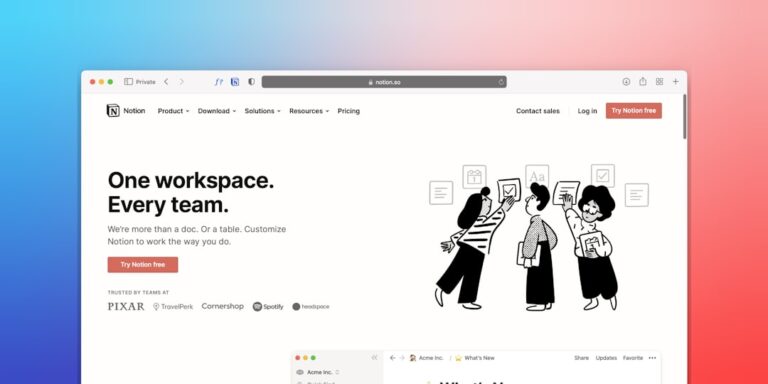
- Platform-native automations: Automation features built into platforms you already use — ClickUp automations, Airtable automations, Notion automations. These work within a single platform and often eliminate the need for an external tool when your workflow stays inside one system.
- Workflow-specific tools: Purpose-built tools that automate one specific process — Calendly for scheduling, PandaDoc for contracts, ConvertKit for email sequences. These handle a narrow use case extremely well and usually don’t require any automation configuration at all.
Most solopreneurs need a combination of all three. Understanding which category to reach for first saves you from over-engineering simple problems with powerful tools, and under-powering complex ones with single-purpose software.
Cross-App Automation Tools: Zapier vs Make vs n8n
Zapier — The Default for Good Reason
Zapier earns its default status through one thing: the fastest path from “I want to automate this” to “this is now automated.” The interface is the most beginner-friendly in the category, the template library covers the most common solopreneur workflows out of the box, and the 6,000+ app integrations mean you’ll rarely encounter a tool that Zapier can’t connect. For solopreneurs who aren’t technical and don’t want to invest time in learning a tool — they just want the workflow to work — Zapier is the right answer.
The honest limitation is cost. Zapier’s free plan allows only 5 Zaps (automations) and 100 tasks per month, which disappears fast once you start building real workflows. The Starter plan at $20/month raises this to 20 Zaps and 750 tasks — workable for a light automation practice but constrictive for a solopreneur trying to automate their full operation. The Professional plan at $49/month removes most limits and adds multi-step Zaps and conditional logic, which is where Zapier becomes genuinely powerful. For a solopreneur at that tier, the question is whether $49/month in automation is generating more than $49/month in time savings — which it often does, but Make offers equivalent capability for considerably less. For a deeper look at which specific Zaps deliver the most value, this guide to the best Zapier automations for solopreneurs covers the highest-ROI workflows step by step.
Best for: Solopreneurs with simple-to-moderate workflows who prioritize ease of setup over cost savings and don’t want a learning curve.
Make — More Power, Better Value, Steeper Learning Curve
Make (formerly Integromat) is the tool that power users reach for once they’ve hit Zapier’s limitations or Zapier’s pricing ceiling. The visual workflow builder uses a node-based canvas where each step in a workflow is a visible module connected by lines — which is more intimidating to set up the first time, but produces workflows that are easier to read, debug, and modify than Zapier’s linear format. The more important difference is what Make lets you do: conditional routing (different paths based on data values), iteration over arrays (process every item in a list), aggregation (combine multiple records into one output), and error handling (what happens when a step fails) are all available on Make’s standard interface without requiring advanced workarounds.
Make’s pricing is structured around “operations” (individual module executions) rather than tasks, which produces a different cost profile. The Core plan at $9/month includes 10,000 operations — enough for 30–50 moderately complex workflows running daily. The Pro plan at $16/month adds unlimited active scenarios and priority processing. For solopreneurs running 10+ automations with multi-step logic, Make consistently delivers more for less than Zapier’s equivalent tier. The trade-off is 3–5 hours of additional learning time upfront to get comfortable with the canvas interface. For practical examples of what Make can handle for service businesses specifically, this guide to Make.com automation examples covers the most useful workflows.
Best for: Solopreneurs with complex workflows, conditional logic needs, or moderate technical comfort who want Zapier-level connectivity at lower cost.
n8n — The Free Option for Technical Solopreneurs
n8n is open-source workflow automation software you can self-host for free on any server — meaning if you’re willing to set up and maintain a $5–10/month VPS, your automation runs cost nothing indefinitely regardless of volume. The feature set rivals and in some areas exceeds Make: 400+ native integrations, complex conditional branching, JavaScript execution within workflows, and an active community building templates for common use cases.
The barrier is real. “Self-hosted” means you’re responsible for installation, updates, and maintenance. For solopreneurs who are comfortable with command-line basics and don’t mind a 2–4 hour initial setup, this is a meaningful long-term savings. For those who aren’t, n8n’s cloud-hosted option starts at $20/month — competitive with Zapier but without Zapier’s ease of use. n8n belongs in your toolkit if you’re running high-volume automations that would cost $100+/month on Zapier or Make, you have basic technical skills, and you’re willing to own the infrastructure.
Best for: Technically comfortable solopreneurs with high-volume automation needs who want to eliminate recurring tool costs.
Platform-Native Automations: When You Don’t Need an External Tool
ClickUp Automations
ClickUp’s built-in automation engine handles trigger-action workflows entirely within the platform — status changes trigger task creation, due date approaches send Slack notifications, new client intake forms create project templates. For solopreneurs whose operations live primarily in ClickUp (task management, client projects, CRM), native automations eliminate the need for Zapier on a significant portion of their workflows. The free plan includes 100 automation runs per month; the Unlimited plan at $7/seat/month raises this to unlimited. The practical limit is that ClickUp automations operate within ClickUp — for anything that requires pulling data from or pushing data to external tools, you still need Zapier or Make.
Airtable Automations
Airtable’s automation builder follows the same logic: triggers based on database changes, time schedules, or form submissions, connected to actions inside Airtable or through native integrations with Slack, Gmail, and Outlook. For solopreneurs using Airtable as a client tracker, content calendar, or project database, the native automations cover most of the status-change notifications, record creation, and email alerts that would otherwise require Zapier. The free plan includes 100 runs per month; the Team plan at $20/seat/month provides 25,000 runs. For a complete walkthrough of what Airtable’s automation layer can do, see Airtable automations for small business: a starter guide.
Side-by-Side Comparison
| Tool | Paid Entry | Free Tier | Learning Curve | Best For |
|---|---|---|---|---|
| Zapier | $20/month | 5 Zaps, 100 tasks/mo | Low | Beginners, simple workflows |
| Make | $9/month | 1,000 ops/mo, 2 active | Medium | Complex logic, cost-conscious |
| n8n | Free (self-hosted) | Full (self-hosted) | High | High-volume, technical users |
| ClickUp Automations | $7/seat/month | 100 runs/mo | Low | ClickUp-native workflows |
| Airtable Automations | $20/seat/month | 100 runs/mo | Low | Airtable-based operations |
| Pabbly Connect | $19/month | No | Low-Medium | Budget Zapier alternative |
How to Choose the Right Tool for Your Situation
The decision framework is simpler than the comparison table makes it look. Work through these questions in order:
- Do your automations stay inside a single platform? If yes, start with the native automation features of that platform (ClickUp, Airtable, or Notion) before buying any cross-app connector. You may not need one at all.
- How many active automations do you need? Under 5 simple automations: Zapier’s free tier or Make’s free tier handles this. 5–20 workflows: Zapier Starter or Make Core. 20+ workflows with complex logic: Make Pro or n8n self-hosted.
- How much learning time can you invest? Zero: Zapier. A few hours: Make. A weekend or more: n8n. If you’re looking for a broad introduction to getting started without coding, this guide to automating your small business without code lays the groundwork before you commit to any specific tool.
- What’s your monthly budget tolerance? Under $10: Make Core or n8n self-hosted. $10–25: Make Pro or Zapier Starter. Over $25: Zapier Professional or Make Business for high-volume needs.
Building a Solopreneur Automation Stack That Scales
The most effective solopreneur automation stacks in 2026 aren’t built around one tool — they combine platform-native automations (which handle in-platform workflows cheaply) with one cross-app connector (which handles everything else), plus workflow-specific tools for high-frequency processes like scheduling and contract signing.
A practical example: a freelance designer running a full client services practice might use Airtable’s native automations to manage their project pipeline (status changes create task records, due dates send reminders), Make to connect their intake form to Airtable and trigger a welcome email sequence when a new client record is created, and Calendly to handle all discovery call scheduling automatically. Total stack cost: $20/month for Airtable + $9/month for Make + $0 Calendly free tier = $29/month to automate the majority of the administrative work that was previously 5–8 hours per week. That’s the practical ceiling for most solopreneurs — not one tool doing everything, but a small coordinated set where each piece covers what it does best.
- Zapier is the easiest cross-app automation tool and has the largest app library, but it’s the most expensive per workflow — and Make delivers equivalent capability for roughly half the cost once you’re past the learning curve.
- Platform-native automations in ClickUp, Airtable, and Notion cover most in-platform workflow needs without an external tool — check these first before paying for a cross-app connector.
- n8n is genuinely free at scale for technical solopreneurs willing to self-host; Pabbly Connect is the best budget alternative for those who want a managed platform at lower cost than Zapier.
- The right automation stack for most solopreneurs is a combination of platform-native automations plus one cross-app connector — not a single tool trying to do everything.
- Automate processes that are already stable and working — building automation around a process you’re still refining creates rework that costs more time than the automation saves.
Frequently Asked Questions
Is Zapier still worth it for solopreneurs in 2026?
Yes — with caveats. Zapier is worth it specifically when ease of setup and speed to automation are your priorities, when you have fewer than 10–15 active workflows, or when you use apps that aren’t well-supported on Make (Zapier’s 6,000+ app library still has meaningful coverage advantages in niche software categories). Where Zapier becomes hard to justify is for solopreneurs running 20+ multi-step workflows at the Professional tier ($49/month) — at that volume, the same capability on Make runs $16–29/month. If cost isn’t a constraint, Zapier’s experience advantage is real. If it is, Make is the better value for most use cases.
Can I use Make for free as a solopreneur?
Yes — Make’s free plan includes 1,000 operations per month and up to 2 active scenarios. For a solopreneur with 1–2 simple automations running daily, this is sufficient indefinitely. Operations are consumed per module execution rather than per complete workflow run, so a 5-step scenario consumes 5 operations per execution — meaning 1,000 operations supports roughly 200 complete workflow runs per month. Once you’re ready to add more workflows or increase run frequency, the Core plan at $9/month provides 10,000 operations, which covers most active solopreneur automation practices comfortably.
What’s the difference between Zapier and Make for someone with no technical background?
Zapier uses a step-by-step linear interface — trigger, then action 1, then action 2 — that reads like a recipe and requires no technical vocabulary. Make uses a canvas-based interface where workflow steps are visual nodes connected by lines, which is more visually complex to set up but easier to understand once built. Most people with no technical background get their first Zapier working in 20–30 minutes; the same person typically needs 2–3 hours to get comfortable with Make’s canvas. If you have time to invest in the learning curve, Make’s additional power and lower cost pay off over time. If you need automation working today, start with Zapier.
Do I need both a cross-app connector and native automations, or can I use just one?
Most solopreneurs eventually need both, but start with whichever covers your most urgent use case. If your most painful workflows stay inside one platform (creating tasks in ClickUp when a project status changes, sending email from Airtable when a form is submitted), start with native automations — they’re often free or included in your existing plan. If your workflows cross multiple tools (new Typeform submission should create an Airtable record and trigger a ConvertKit email sequence), you need a cross-app connector. Many active solopreneurs run both: native automations for in-platform logic (cheap, simple) and Zapier or Make for cross-app connections (necessary for the multi-tool integrations that pure native automations can’t reach).
How do I know when I’ve outgrown my current automation tool?
Three signals indicate it’s time to reassess your automation tool: you’re regularly hitting task or operation limits and delaying automations you want to build; you’re trying to build conditional logic that your current tool handles awkwardly or not at all; or your monthly automation cost has grown to a point where the ROI calculation no longer clearly favors keeping the current tool. The most common transition path is Zapier free → Zapier Starter → Make Core, with solopreneurs moving from Zapier to Make when their workflow count grows and they’re unwilling to pay Zapier’s Professional tier pricing for the same capability at lower cost.
Related Reading
- Best AI Scheduling Tools for Small Business 2026 via BizRunBook
- Best Sales Automation Software for Small Business 2026 via SaaSSleuth